
If you’ve been invited to access Google Ads or Google Analytics, you’ll need to have a Google Account associated with your email address.
If your email address does not currently have a Google Account, please follow the steps below to create one using your existing email:
Note: If you already have a Google Account associated with another email address, you can share that existing email with us instead of creating a new account, so that we can send the invitation to that email.
Click on “Create an account.”
Enter your basic information (Name, Date of Birth, etc.).
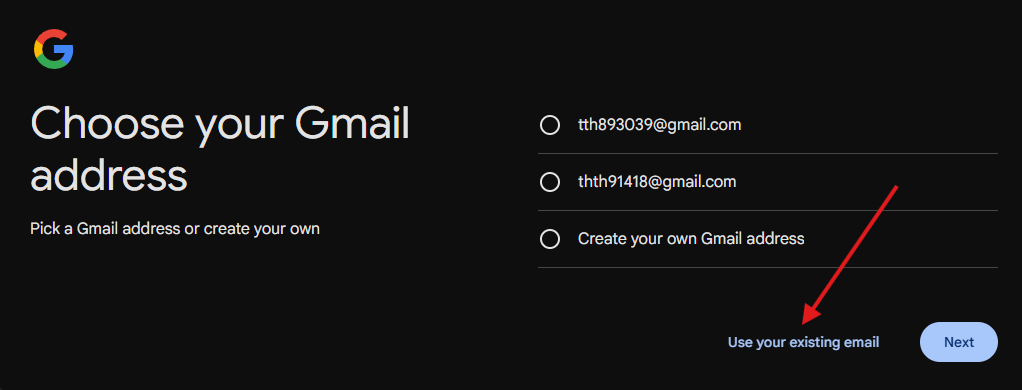
When prompted to choose your Gmail address, do not select or create a new Gmail address.
Instead, click on “Use my current email address instead.”
Enter your existing email address (the one we’ve used to send you the invite).
Complete the rest of the form and follow the on-screen instructions to finish creating your Google Account.
Once done, you can use this same email address to access Google Ads, Google Analytics, or any other Google services.