
If you’d like to give someone access to help manage your Google Business Profile, just follow these quick steps:
Step-by-Step Guide:
Visit business.google.com and log in using the email associated with your business.
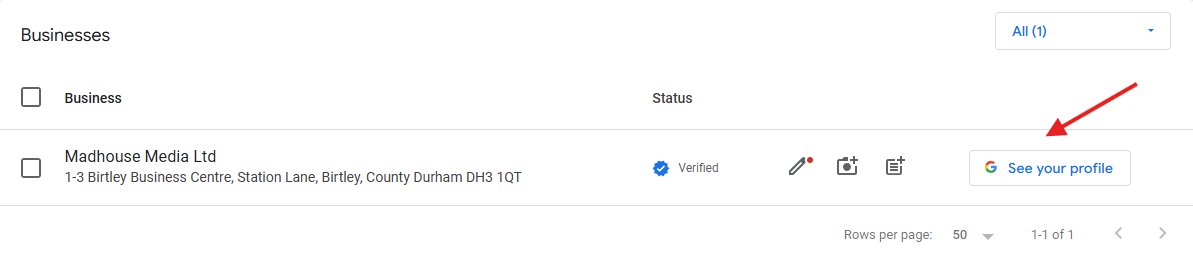
If you manage more than one, choose the business you want to share access to.
Click on See your profile . This is usually on the left as shown below.
This opens up your google business profile in a new tab.
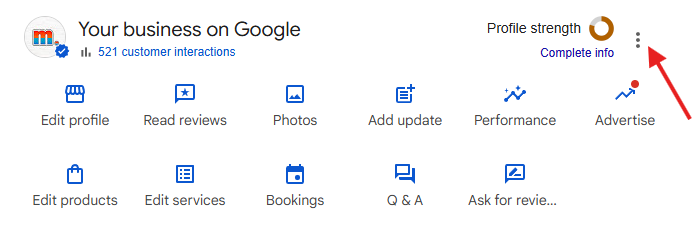
Click on menu icon in the top right as shown above and this opens up your business profile settings
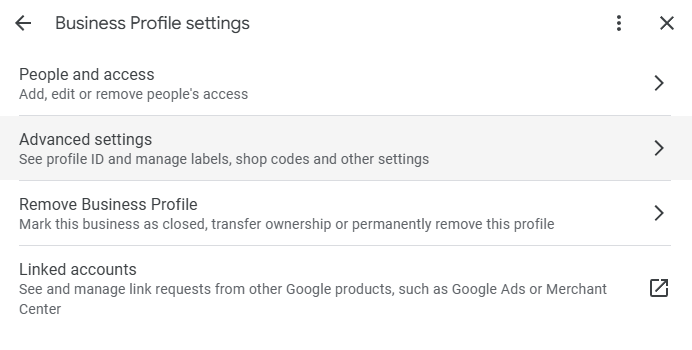
Click on “People and access" and then "Add”
Enter the email address of the person you want to give access to.
Choose their role i.e. Owner (Full control over the profile) or Manager (Can edit information, respond to reviews and post updates)
They’ll receive an email invitation to accept access and the owner of the profile can remove users at any time if needed.