
If you've moved locations or need to correct your business address, it's important to update it on Google so customers can find you easily. Follow the simple steps below to update your address quickly and correctly.
Go to Your Google Business Profile
- Visit: https://business.google.com/
- Log in using the Google account associated with your business.
Choose Your Business
- If you manage multiple locations or profiles, select the one you want to update.

Click on "See Your Profile"
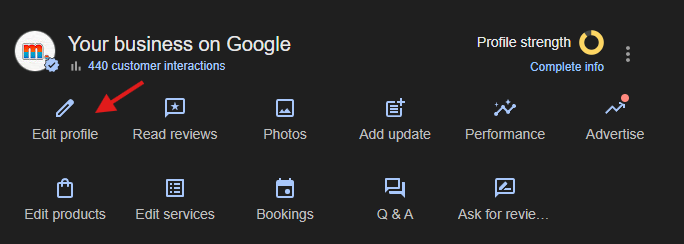
Click “Edit Profile”
On the dashboard, click “Edit profile”.
Update Your Address
Under the “Location” tab, click the pencil ✏️ icon next to your current address.
Enter your new address details carefully.
If your business doesn't have a physical location (e.g., service-based businesses), you can choose the “I deliver goods and services to my customers” option and update your service areas instead.
Apply the Changes
Once updated, click “Save”
Google may ask you to verify your new address, usually by sending a postcard with a verification code