To help us review and manage your website tracking, we may need access to:
- Google Analytics (GA4)
- Google Search Console
- Google Tag Manager
You do not need to share your password with us. Please add our email address as an admin by following the steps below.
1. Give us Access to Google Anlaytics
Open https://analytics.google.com/ and sign in using the google account connected to your website.
Make sure the correct website is selected.
Click Admin in the bottom left corner
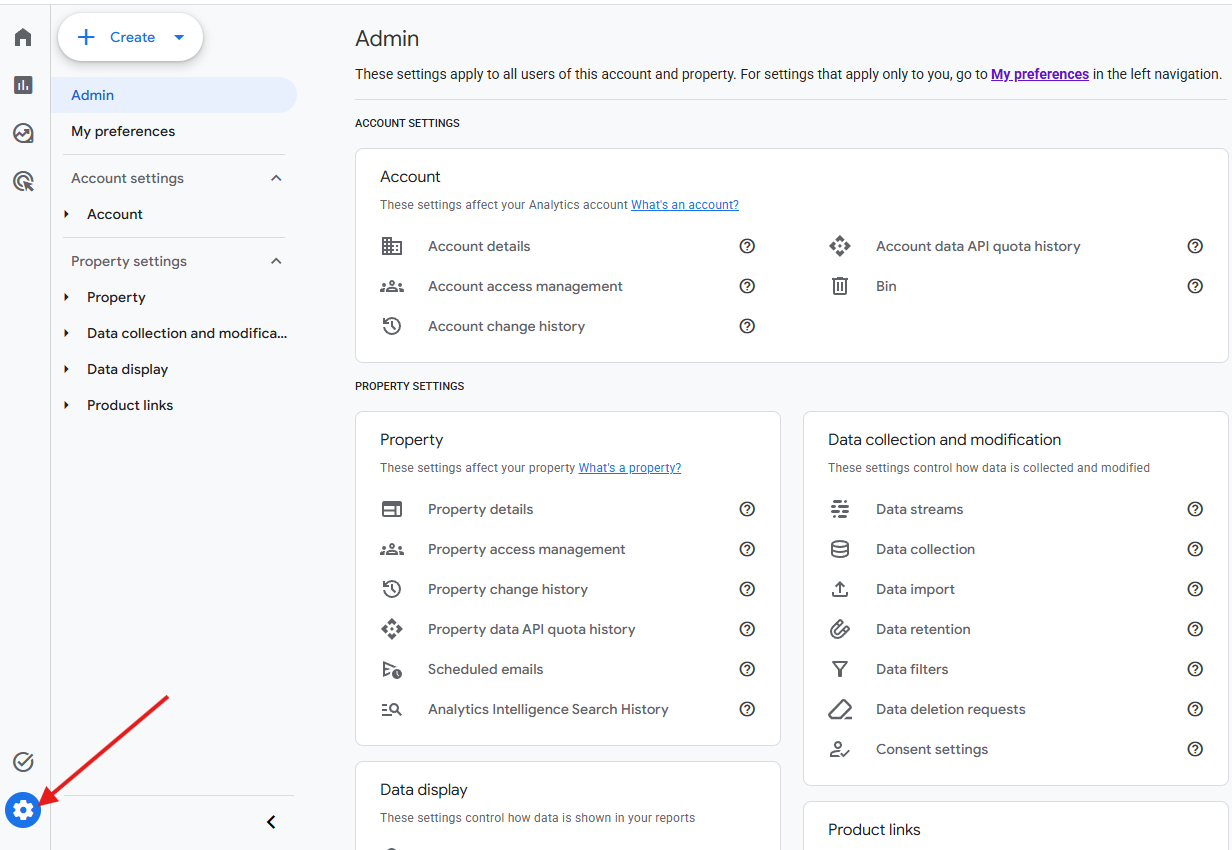
- Under the Property Section, Click Propery Access Management
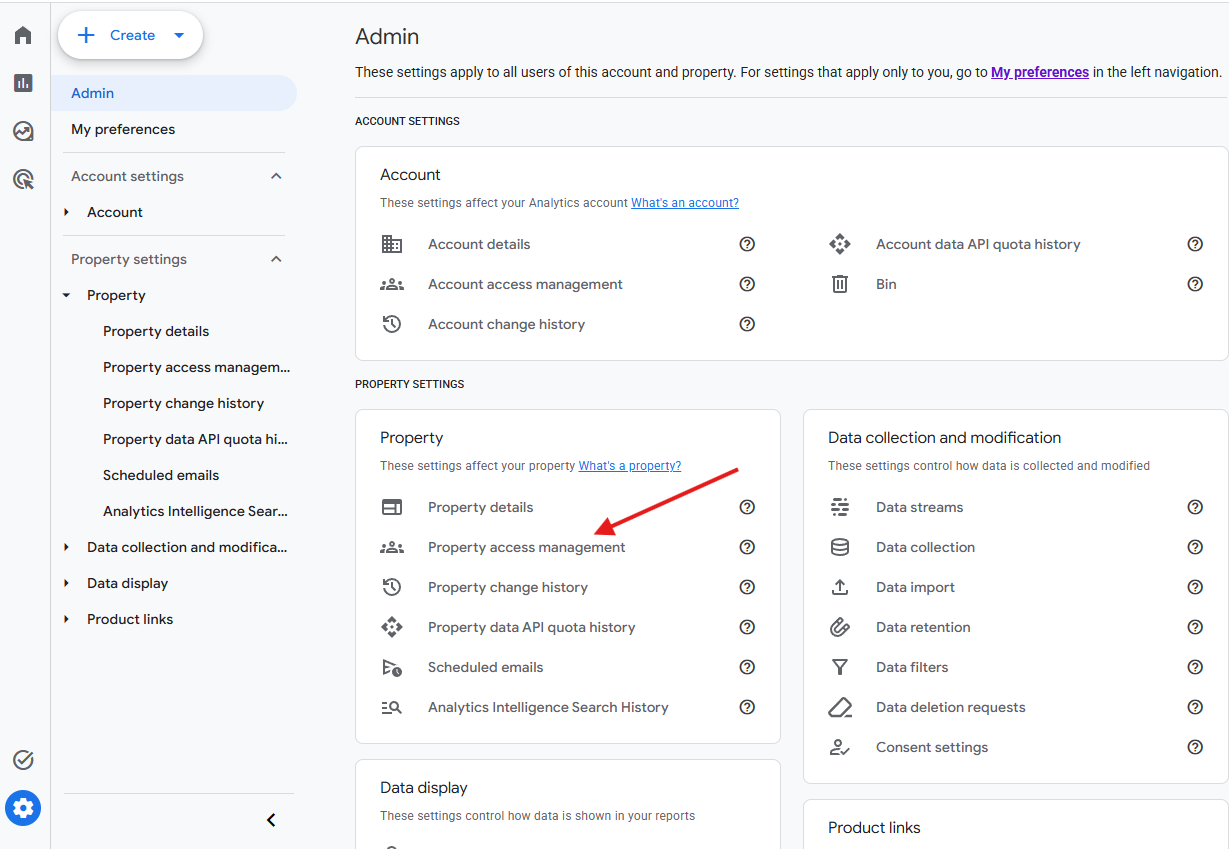
- Click the plus (+) button in the top-right corner.
- Select Add Users
- Enter Our Email address
- Choose Administrator Role and Click Add
Google Analytics access is now complete.
2.Give Us Access to Google Search Console
- Open Google Search Console (https://search.google.com/) and sign in with the Google account associted with your website.
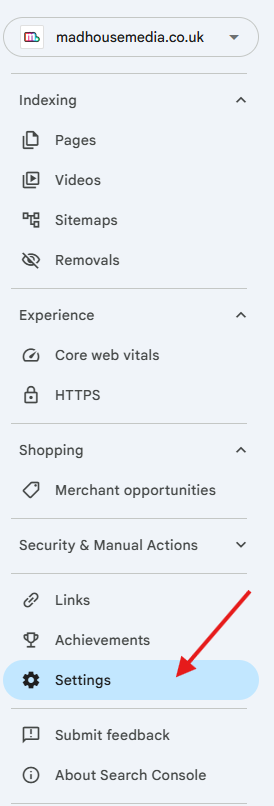
- Click Settings near the bottom of the left-hand menu.
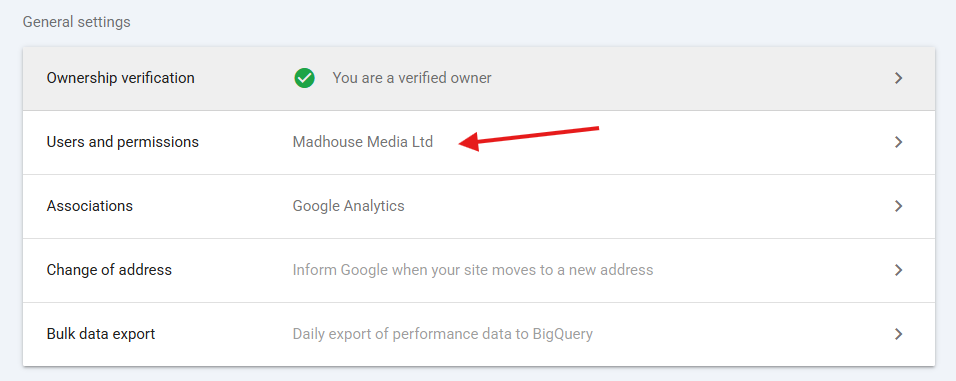
- Click Users and permissions.
- Click Add User
- Enter our email address
- Select Full Permission and Click Add
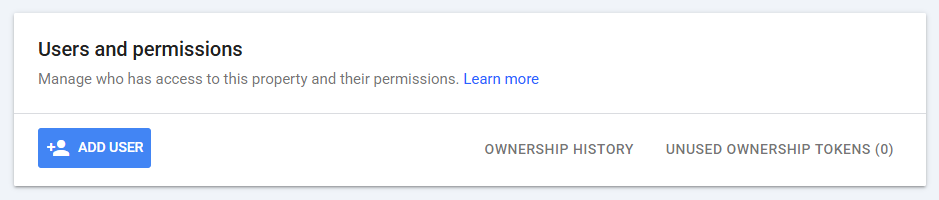
Google Search Console access is now complete
Cannot see "Users and permissions" ?
You may not have permission to add another user. Please ask the person who originally setup search console to complete the above steps.
3.Give Us Access to Google Tag Manager:
- Open Google Tag Manager () and sign in with the Google account
- Click Admin and then user management
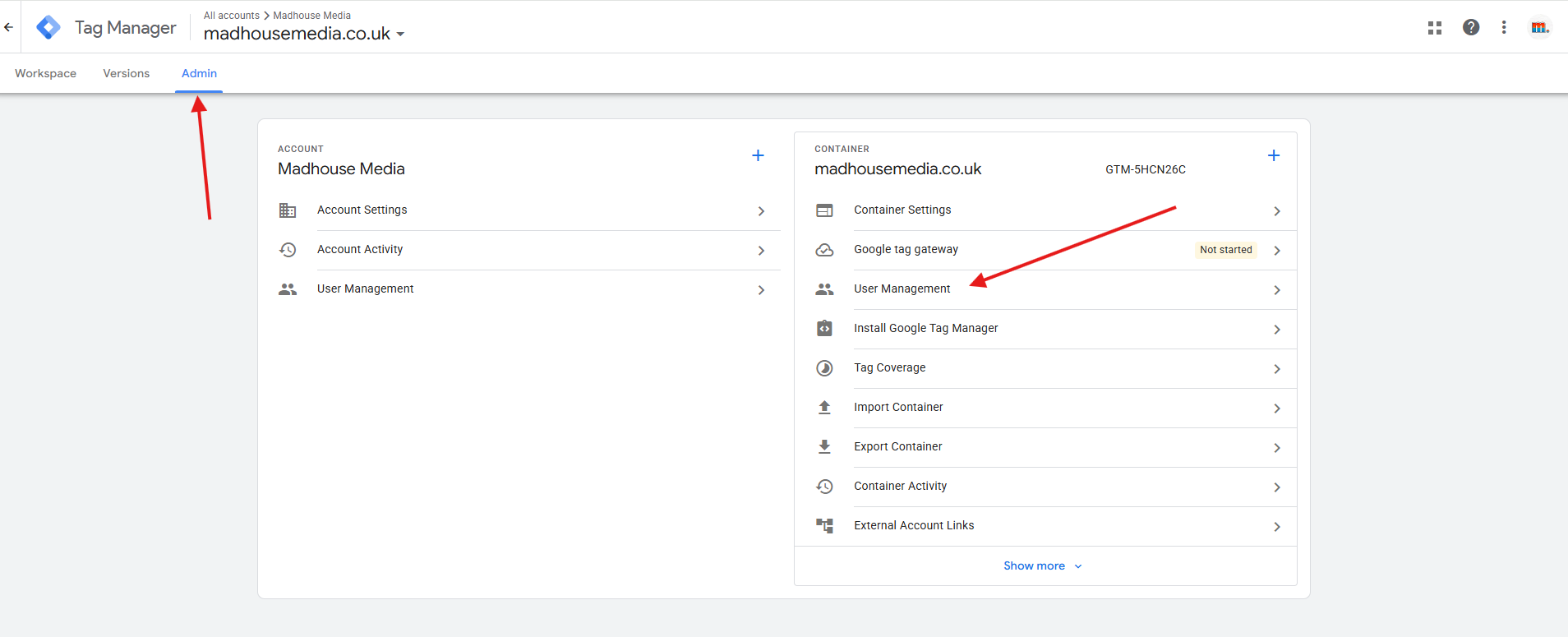
- Click the plus (+) button in the top-right corner.
- Select Add Users and enter our email address
- Under Container Permissions , select Read, Edit, Approve and Publish and then click invite.
An invitation will be sent to us. Google Tag manager access will be complete once we accept it.
Need Help?
Please send us a screenshot of the page you are having trouble with, and we will sort it for you.
Not Sure Whether you already have these accounts?
This is not a problem.
we can check whether Google analytics, Google search Console and Google tag manager are already setup for your website. If no account exist, we can create new ones and compelte the full setup for you.
Please note that a new Google Analytics account will only start collecting data from the date it is setup. It will not include any previous website traffic or historical data.
Was this article helpful?
That’s Great!
Thank you for your feedback
Sorry! We couldn't be helpful
Thank you for your feedback
Feedback sent
We appreciate your effort and will try to fix the article